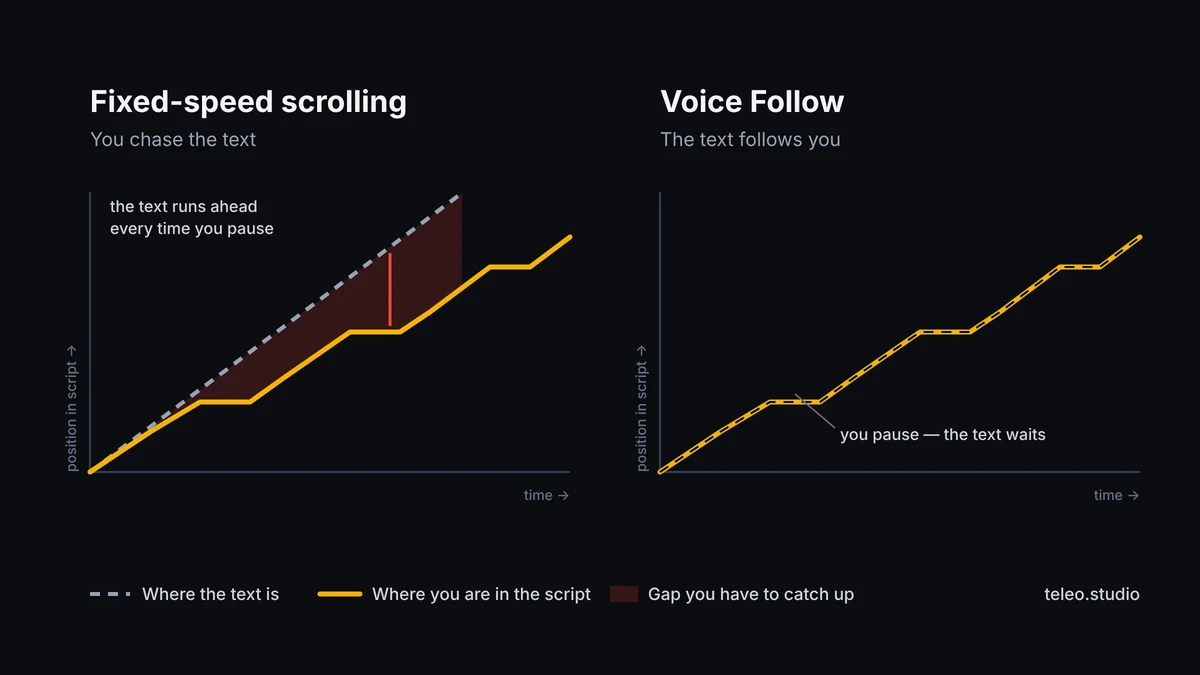
A traditional teleprompter scrolls at a speed you choose before you start speaking. That works well until your delivery changes: you pause to make a point, slow down for a difficult sentence, improvise, or simply take a breath. The text keeps moving, and suddenly you are managing the teleprompter instead of talking to the camera.
A voice-controlled teleprompter reverses that relationship by using your speech to keep the script near the line you are actually saying. The idea is simple, but the technology varies: some apps react to sound, while others use speech recognition to follow the words in the script.
What is a voice-controlled teleprompter?
A voice-controlled teleprompter is an app or prompting system that changes the script position based on your speech.
In the most useful version, speech recognition is used to follow your place in the written script. When you continue speaking, the text advances. When you stop, the prompter can hold instead of running ahead.
You may also see the same idea described as:
- voice-activated teleprompter;
- speech-following teleprompter;
- teleprompter that follows your voice;
- teleprompter that scrolls as you speak.
The label matters less than the behavior. The key question is whether the app is following your actual words or simply reacting to sound.
Sound-activated scrolling is not the same as speech tracking
Some “voice” modes react mainly to sound level. When the microphone hears sound, the script moves. When the room is quiet, it stops.
That can be useful, but the app may not know which sentence you are reading.
Speech-following systems go further. They use speech recognition to relate what you are saying to the written script, which helps the prompter stay closer to your real position.
Teleo’s voice-follow mode is built around speech recognition. It follows the script as you speak and highlights the portion that has been read.
For creators, the practical difference is simple: the prompter is less dependent on a single preset speed.
Fixed-speed vs manual vs voice-controlled scrolling
Most teleprompter apps use one or more of three modes.
Fixed-speed auto scroll
You choose a speed and the text moves continuously.
Best for:
- short rehearsed scripts;
- speeches with a consistent pace;
- silent practice;
- browser teleprompters where microphone access is not needed.
Main weakness:
your delivery has to stay close to the selected speed.
Manual scroll
You move through the text with a finger, keyboard, clicker, remote or another device.
Best for:
- presentations;
- studio prompting;
- paragraph-by-paragraph delivery;
- situations where an operator controls the text.
Main weakness:
someone or something has to control the scroll.
Voice-controlled scroll
The script reacts to your speech.
Best for:
- talking-head videos;
- YouTube;
- product demos;
- educational videos;
- sales videos;
- creator content where pace changes naturally.
Main weakness:
speech recognition depends on the device, language, microphone conditions and operating system.
Why fixed-speed scrolling can make you sound unnatural
Natural speech is not constant.
A person may deliver the first sentence quickly, slow down for an important idea, pause for two seconds, then speed up again.
A fixed scroll speed cannot predict those changes.
That creates three familiar problems:
- The text is too fast, so you rush.
- The text is too slow, so you wait for the next line.
- You pause, but the script keeps moving.
Once you start timing your voice to the screen, viewers can often hear it. The delivery becomes flatter and more mechanical.
Voice-controlled scrolling is useful because it removes one timing decision from the recording process.
Does the teleprompter stop when you pause?
That depends on the app and the recognition method.
With Teleo’s voice-follow mode, the script follows your speech and holds your place when you pause. When you continue, the text continues with you.
That does not mean you can ignore the script completely. If you improvise for a long time or jump to a different part of the text, any speech-following system can need a moment to recover.
A useful rule is:
Use the script as the route, not as a cage.
Short improvisations are fine. Completely changing the order of the script is harder for any word-following prompter.
Where voice-controlled scrolling helps most
Voice control is most useful when your delivery is allowed to change. A talking-head creator may pause before a key point; a teacher may slow down for a technical explanation; a product demo may need a few seconds of silence while something happens on screen. In all of those cases, a fixed-speed scroll creates an extra timing problem.
Longer YouTube videos are another good fit because small speed mismatches compound over several minutes. Sales and product videos also benefit when exact wording matters but the delivery still needs to sound conversational.
UGC is a more mixed case. Voice-follow scrolling can help with face-to-camera lines, but it is usually better to record demonstrations and B-roll separately instead of trying to read and handle the product at the same time.
When fixed-speed scrolling may be better
Voice control is not automatically better in every situation.
Use fixed-speed scrolling when:
- the script is extremely short;
- you have rehearsed the timing;
- you are reading silently;
- microphone access is unavailable;
- the recording environment makes speech recognition unreliable;
- you simply prefer a predictable rhythm.
The best teleprompter mode is the one that creates the least friction for the specific recording.
Device and operating-system limits matter
Voice-controlled prompting depends on the speech-recognition tools available on the device.
For Teleo:
- iPhone and iPad require iOS/iPadOS 18 or later;
- Android phones and tablets require Android 10 or later;
- voice-follow scrolling while recording video on Android requires Android 13 or later.
If you are using an older Android device, the teleprompter can still use manual or auto-scroll modes even when voice tracking during recording is unavailable.
Does voice tracking work offline?
Often, but not in every language on every device.
On Apple devices, speech recognition can run on-device when the required offline language model is available. For a language without an offline model, Apple may process recognition on its servers if you allow it, which requires an internet connection.
On Android, Teleo uses the phone’s system speech recognizer. If your device has an offline speech model for the script language, voice-follow scrolling can work offline. Otherwise the system speech service may process recognition online.
Teleo itself does not receive or store your voice audio.
This distinction matters because “offline teleprompter” and “offline voice recognition” are not always the same thing.
How to get better results from voice tracking
Speech recognition works best when the audio is clean.
Before recording:
- Keep the phone reasonably close to you.
- Reduce loud background noise.
- Choose the recognition language that matches the script.
- Read the script aloud once before the real take.
- Break difficult sentences into shorter phrases.
Good script formatting also helps. Short sentences and clear paragraph breaks make it easier for you to stay oriented even if recognition briefly loses your place.
Keep the reading area close to the camera
Voice tracking solves scrolling, but it does not automatically solve eye contact.
If the text is far from the lens, your eyes can still visibly move while you read.
In Teleo, you can place the text near the camera and narrow the reading column. In landscape orientation, the Near camera option moves the text toward the side with the front camera.
Start with a narrower column than a normal document and test the recording. Teleo currently uses roughly 6–8 words per line as a practical setup heuristic, not a universal rule; device size, font, distance and eyesight all change what feels comfortable.
How Teleo’s voice-follow mode works in practice
A simple workflow looks like this:
- Create or paste a script.
- Open it in the teleprompter.
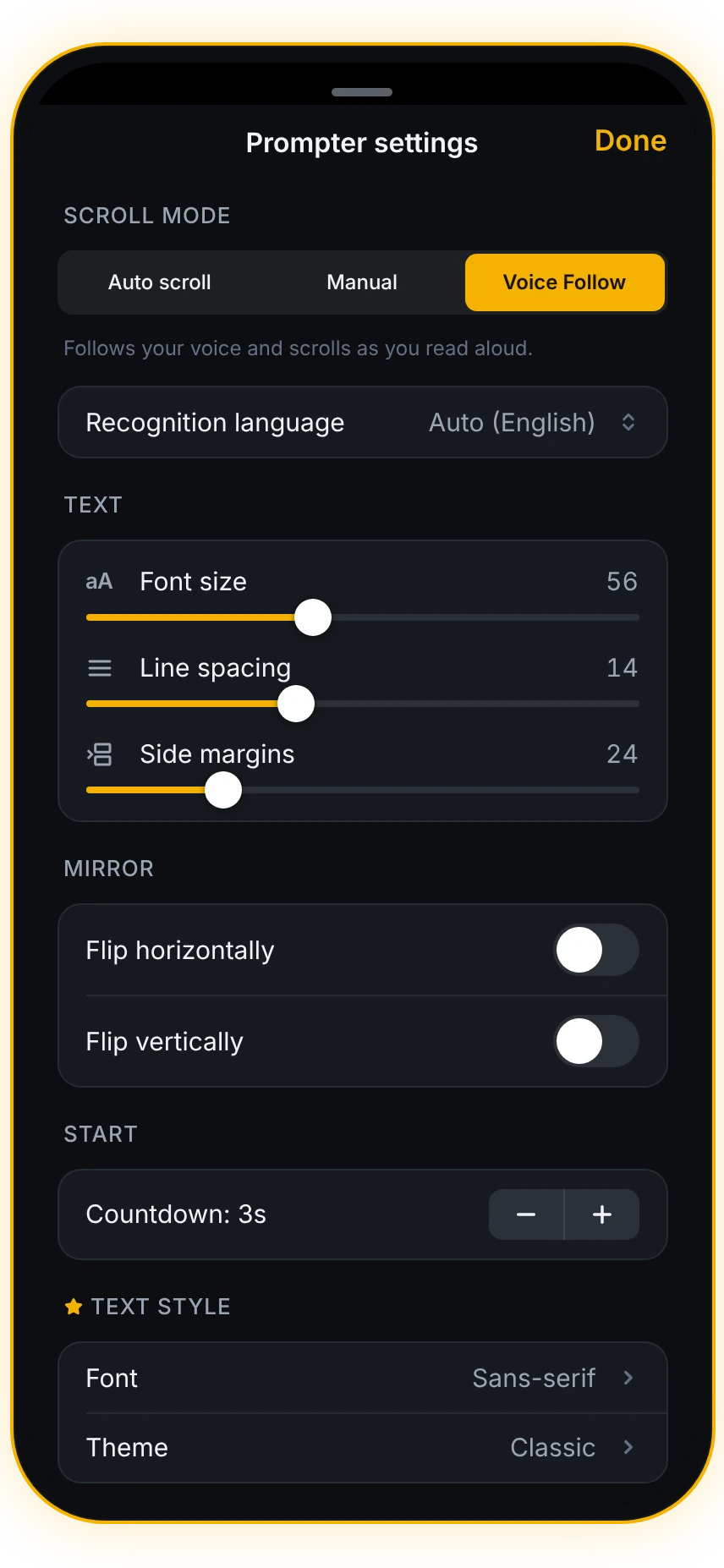
- Select Voice Follow.
- Set the text size and reading position.
- Start recording.
- Speak at your normal pace.
- Pause naturally when you need to.
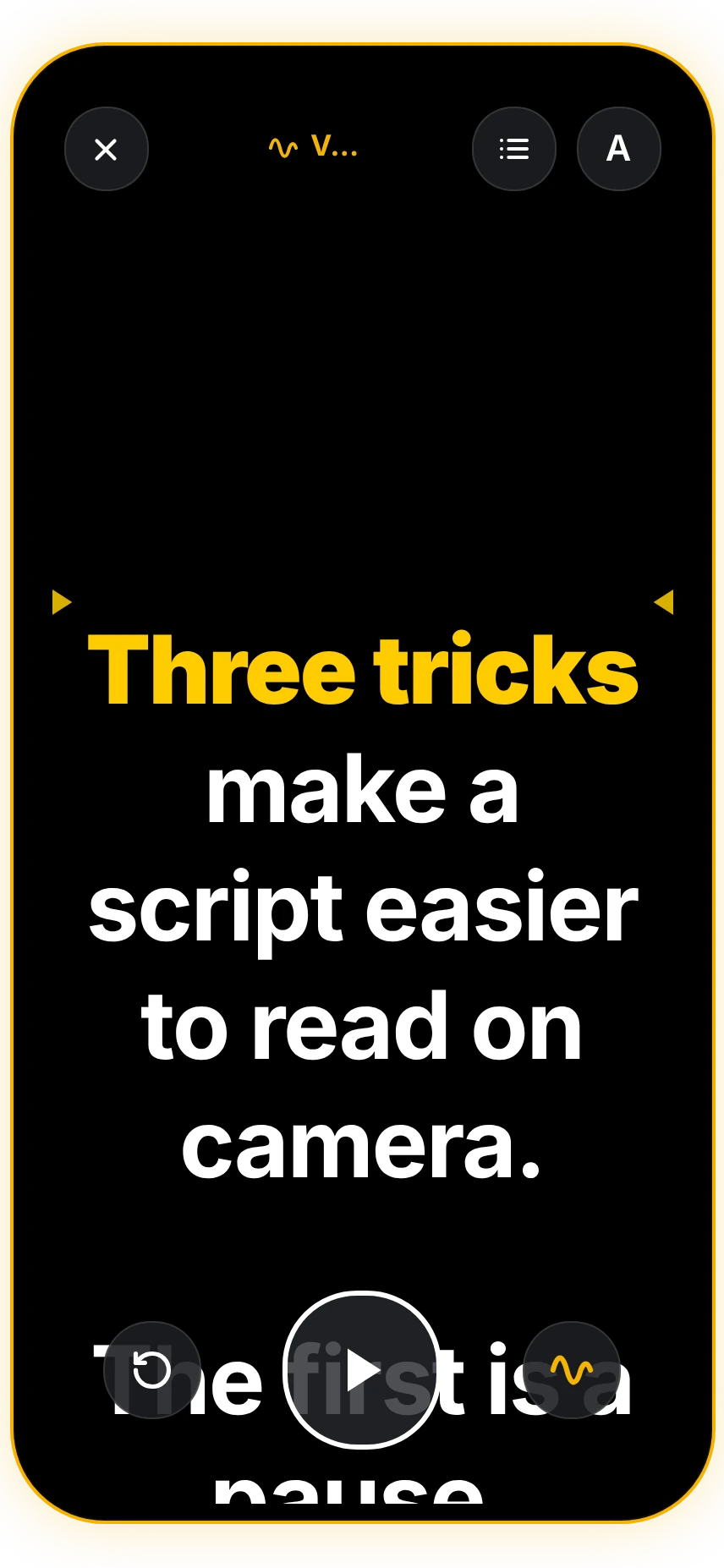
Teleo highlights what has already been read and keeps the active part of the script near the reading line.
If you would rather rehearse on a computer first, the free Teleo online teleprompter uses adjustable fixed-speed scrolling and lets you send the finished script to the mobile app with a QR code.
Voice-controlled teleprompter vs auto-scroll: a quick decision table
Choose voice control if:
- your speaking pace changes;
- you pause often;
- you record longer talking-head videos;
- you dislike constantly adjusting speed.
Choose auto-scroll if:
- the script is short;
- timing is tightly rehearsed;
- you do not want to use the microphone;
- you prefer a fixed rhythm.
Choose manual control if:
- you want total control over every paragraph;
- you use a remote or clicker;
- someone else is operating the prompter.
When voice control is the right tool
A teleprompter should reduce the amount of attention you spend managing the script.
Fixed-speed scrolling works well for predictable delivery. Manual control works well when you want direct control. Voice-controlled scrolling is most useful when you want the text to adapt to the way you naturally speak.
Teleo includes all three modes, so you can choose the one that fits the recording instead of forcing every script into the same workflow.
Try voice-follow scrolling in Teleo
Or rehearse first in the free browser teleprompter
Questions about voice-controlled teleprompters
What is a voice-activated teleprompter?
It is a teleprompter that uses your voice to control how the script moves. Some apps react only to sound level, while others use speech recognition to follow your position in the written script.
Is there a teleprompter that follows your voice?
Yes. Speech-following teleprompter apps can track what you are saying and move the script with your pace. In Teleo, this mode is called Voice Follow.
Does a voice-controlled teleprompter work if I pause?
A speech-following teleprompter can hold your place when you pause and continue when you resume. Behavior varies by app and recognition method.
Does Teleo’s voice-follow mode work offline?
For many languages, yes, when the device has an offline speech model. If no offline model is available, the device’s speech-recognition service may require an internet connection.
Does Teleo support voice tracking on Android?
Yes. Teleo supports Android 10 and later; voice-follow scrolling while recording video requires Android 13 or later.
Is voice-controlled scrolling always better than auto-scroll?
No. Voice control is more flexible for changing pace and pauses. Fixed-speed scrolling can be simpler for short, rehearsed scripts.